What Is an AVIF File? A Simple Guide
AVIF is the newest image format on the web. It makes photos tiny without making them ugly. Here's what it is, where it works, and what to do when an app won't open it.
What Is an AVIF File?
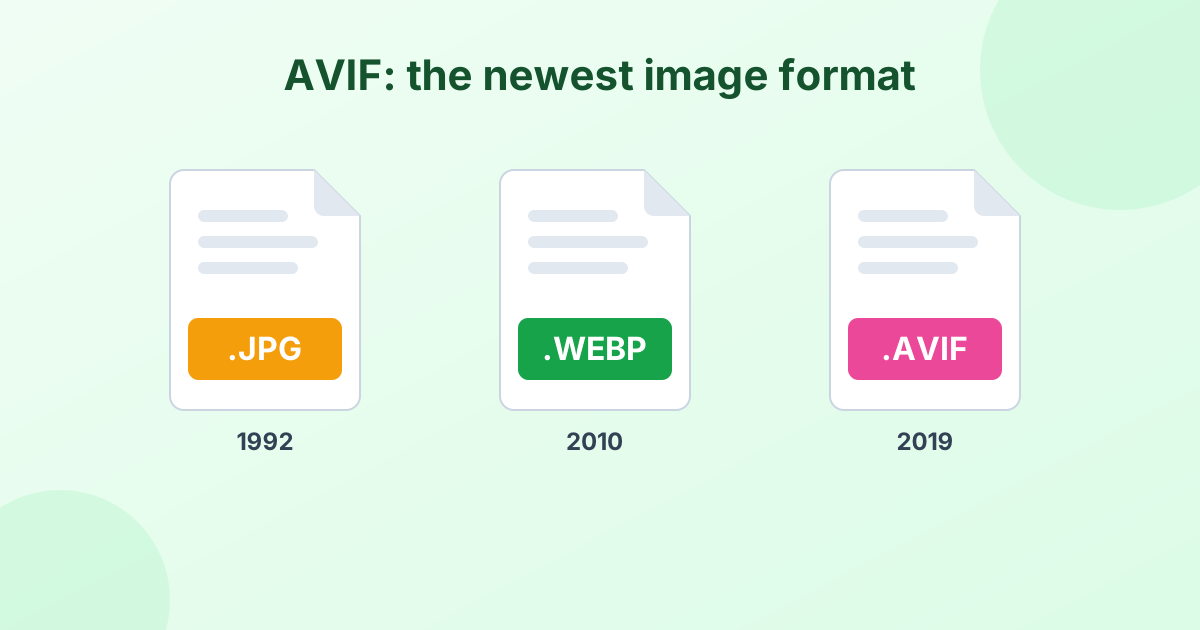
An AVIF file is an image saved in the AV1 Image File Format. It's a modern format released in 2019 by the Alliance for Open Media. That group includes Google, Apple, Microsoft, Netflix, Amazon and Mozilla.
AVIF uses the compression from AV1, an advanced video codec. The result is very small image files with excellent quality. The file extension is .avif.
Why Is AVIF Becoming So Popular?
It's all about size. AVIF images are often about 50% smaller than JPG and about 20–30% smaller than WebP at similar quality.
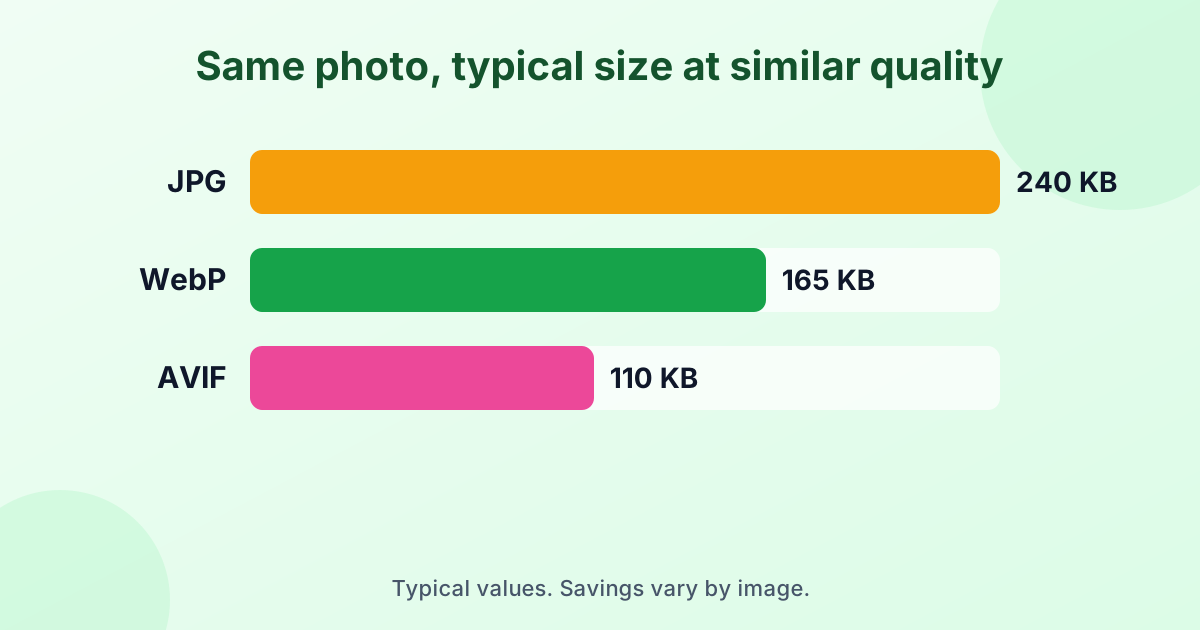
That's a big deal for websites. Smaller images load faster, use less mobile data and help search rankings. So many big sites now serve AVIF to browsers that support it.
AVIF also brings features older formats lack:
- Transparency, like PNG
- Animation, like GIF
- HDR and wide color, for richer, brighter images
- Up to 12-bit color, so gradients look smoother
AVIF vs WebP vs JPG
| AVIF | WebP | JPG | |
|---|---|---|---|
| Released | 2019 | 2010 | 1992 |
| Typical size | Smallest | Small | Baseline |
| Transparency | Yes | Yes | No |
| Animation | Yes | Yes | No |
| HDR | Yes | No | No |
| Browser support | ~93% | ~97% | 100% |
| Opens in most apps | No | Partly | Yes |
| Encoding speed | Slow | Fast | Fast |
AVIF is the most efficient. JPG is the most compatible. WebP sits in the middle. For a closer look at WebP, see What is a WebP file?
How to Open an AVIF File
In a browser
Chrome (85+), Edge (121+), Firefox (93+), Opera and Safari (16.4+) all display AVIF. Drag the file into a browser window to view it.
On Windows
Windows 11 can show AVIF in the Photos app once you install the free AV1 Video Extension from the Microsoft Store. Windows 10 support depends on your version.
On a Mac
macOS Ventura (13) and later open AVIF in Preview and Photos. Older versions need a converter.
In editing apps
Support is still patchy. Many versions of Photoshop, Microsoft Office, Canva and older photo apps can't open AVIF. Upload forms often reject it too.
How to Convert AVIF to JPG or PNG
When an app won't open your AVIF, converting is the quickest fix:
- AVIF to JPG – for photos you'll share, upload or print. Small files.
- AVIF to PNG – for images with transparency, text or sharp edges.
Both tools work in your browser. Your images never get uploaded.
Why you might see an error
To convert AVIF in the browser, your browser must be able to read AVIF. Update to the latest Chrome, Edge, Firefox or Safari if you see a message about unsupported files.
Should You Use AVIF on Your Website?
AVIF can shave a lot of weight off your pages. But it's still wise to keep a fallback. Most sites serve AVIF first, then WebP or JPG for browsers that can't show it. Many image CDNs and WordPress plugins handle this for you.
If you can only pick one modern format today, WebP is the safer bet because of its wider support. Add AVIF on top when your setup allows it.
The Downsides of AVIF
- Slow to create. Encoding AVIF takes more computing power than JPG or WebP.
- Limited app support. Many desktop programs still can't open it.
- Not accepted everywhere. Upload forms often want JPG or PNG.
- Fine textures can smooth out at very low quality settings.
Frequently Asked Questions
What is an AVIF file?
It's an image in the AV1 Image File Format. AVIF gives very small files with high quality, and it's used more and more on websites.
How do I open an AVIF file?
Open it in a modern browser like Chrome, Firefox, Edge or Safari. Or convert it to JPG or PNG to use it in any app.
Is AVIF better than JPG?
For file size and quality, yes. AVIF is often half the size of a JPG. For compatibility, JPG is still better.
Is AVIF better than WebP?
AVIF usually makes smaller files. WebP is faster to create and supported in more places.
Can I convert AVIF to JPG for free?
Yes. Use our free AVIF to JPG converter. It's private, fast and has no limits.