Change Image DPI (300 DPI Converter)
Set your image to 300 DPI (or any DPI) for printing and print-ready uploads. The pixels stay exactly the same. Only the DPI setting changes.
Loading tool…
- 100% free
- Unlimited use
- No sign-up
- No payment
- Files stay on your device
- No watermark
How to Change the DPI of an Image
- Pick the new DPI. Type a number or tap a quick pick like 300.
- Add your images. JPG and PNG files keep their format. Other formats become JPG or PNG.
- Check the print size. The tool shows how large each image will print at the new DPI.
- Download. Save each file, or all of them in a ZIP.
What This Tool Actually Changes
Every image file stores a small DPI tag (also called resolution or pixels per inch). Print software and design apps read it to decide how big to print the image.
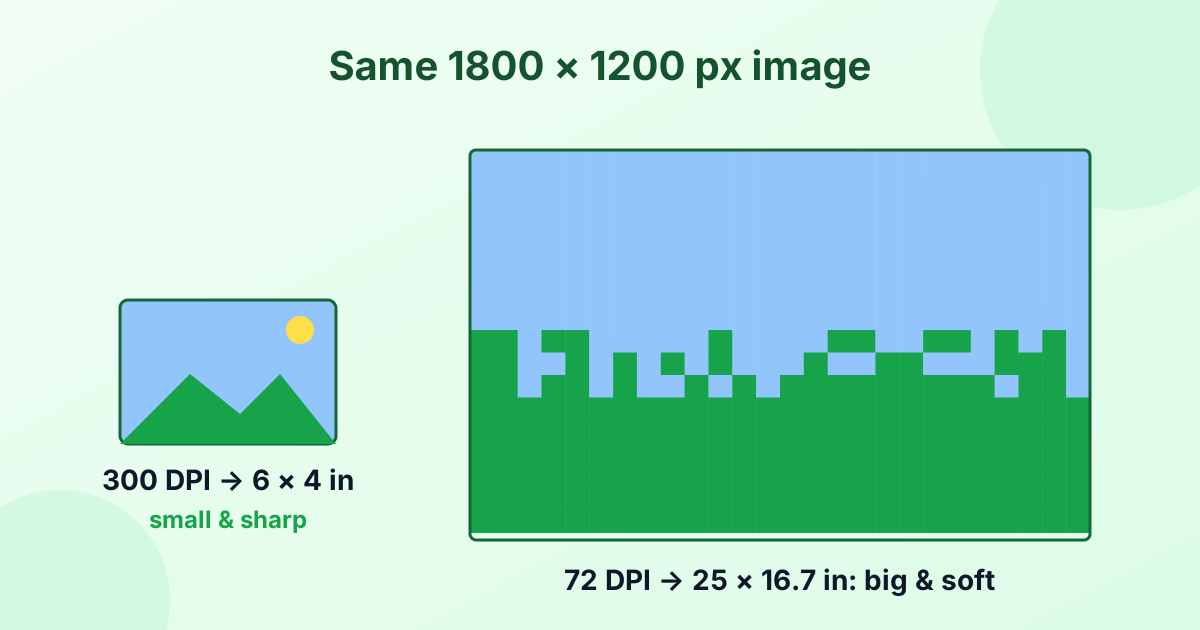
This tool rewrites that tag. It doesn't touch the pixels. Your image keeps the exact same width, height, quality and file size (give or take a few bytes).
| Before | After (300 DPI) | |
|---|---|---|
| Pixels | 1800 × 1200 | 1800 × 1200 (same) |
| Quality | Original | Original (same) |
| DPI tag | 72 | 300 |
| Print size | 25 × 16.7 in | 6 × 4 in |
Why Change DPI?
- Print shops and publishers often ask for "300 DPI files".
- Design apps like Word, InDesign and Canva use DPI to place images at the right size.
- Online print services check DPI before accepting uploads.
- Scanned documents sometimes need a specific DPI for official forms.
Can Changing DPI Improve Quality?
No, and this is important. Changing only the DPI number doesn't add detail. A small 600 × 400 px image set to 300 DPI will print sharp, but only at 2 × 1.3 inches.
If you need a bigger print and 300 DPI, you need more pixels:
- Calculate the pixels you need with our inches to pixels converter.
- Enlarge the image with our image upscaler.
- Then set it to 300 DPI here.
Learn the full story in What is DPI?
How to Check the DPI of an Image
- Windows: Right-click the file > Properties > Details. Look for "Horizontal resolution".
- Mac: Open the image in Preview > Tools > Show Inspector. Check "Image DPI".
- Photoshop: Image > Image Size shows the resolution.
After using this tool, these places will show your new DPI.
Private and Lossless
The DPI changer works in your browser. JPG and PNG files aren't re-compressed, so there's zero quality loss. Your files are never uploaded.
Frequently Asked Questions
How do I change an image to 300 DPI?
Set the DPI to 300, add your image, and download. The pixels stay the same. Only the DPI tag changes.
Does changing DPI change the file size?
Barely. Only a few bytes of metadata change. The image data stays the same.
Does changing DPI reduce quality?
No. For JPG and PNG files, this tool doesn't re-compress the image.
How do I increase the DPI of an image without losing quality?
Changing the DPI tag here is lossless. To also get a bigger, sharper print, add pixels with an upscaler first.
What DPI is best for printing?
300 DPI is the standard for photo-quality prints.