What Is DPI? (DPI Meaning Explained Simply)
DPI is one of the most confusing terms in images and printing. Here's what it really means, when it matters, and how to check or change the DPI of any image.
DPI Meaning
DPI stands for "dots per inch". It started as a printer term. It measures how many tiny ink dots a printer puts in one inch of paper. More dots mean finer detail.
Today, people also use DPI to describe image resolution: how many pixels of an image fit into one printed inch. Strictly, that's PPI (pixels per inch). But most software, print shops and websites use "DPI" for both.
DPI vs PPI
| DPI | PPI | |
|---|---|---|
| Stands for | Dots per inch | Pixels per inch |
| Describes | Printer ink dots | Pixels in an image or screen |
| Used by | Printers | Images, cameras, screens |
| In everyday talk | Often means PPI | Less common term |
When a print shop asks for a "300 DPI image", they mean 300 pixels per inch of print. That's what we'll mean in this guide too.
Does DPI Change Image Quality?
Here's the surprising truth: the DPI number alone doesn't change your image at all.
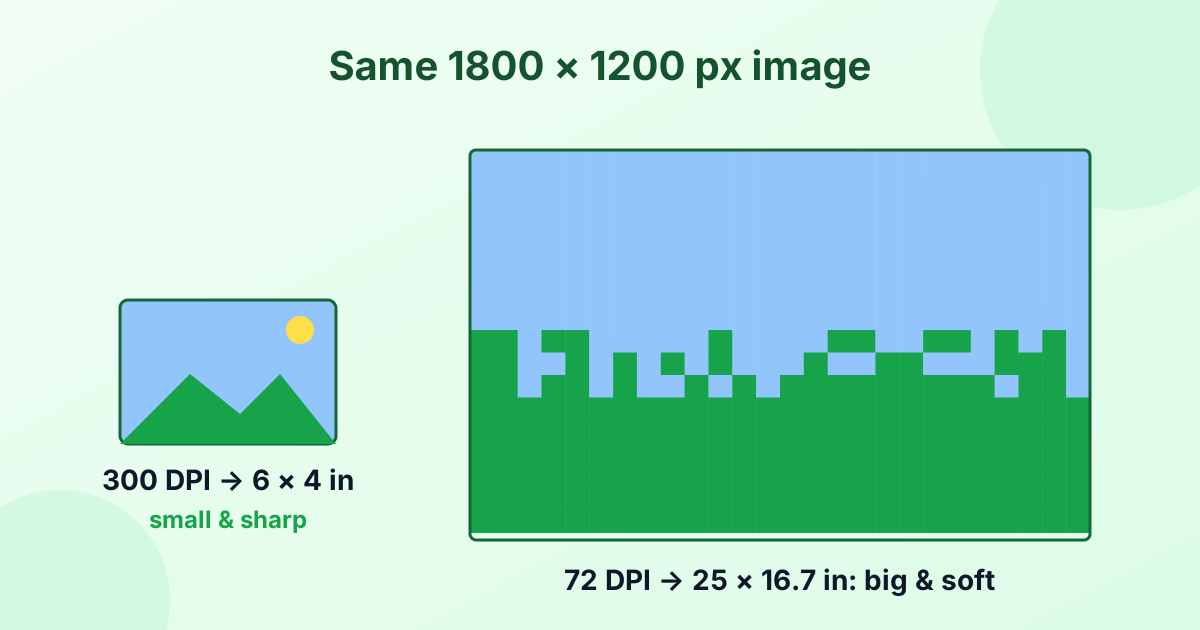
An image is a grid of pixels. A photo that's 3000 × 2000 pixels has the same detail whether its DPI tag says 72 or 300. The DPI only tells printing software how big to print those pixels.
- At 300 DPI, 1800 × 1200 pixels print at 6 × 4 inches. Sharp.
- At 72 DPI, the same pixels print at 25 × 16.7 inches. Big, but soft and blocky up close.
So DPI is really a trade-off between print size and sharpness.
What Does 300 DPI Mean?
300 DPI means 300 pixels in every inch of the print. It's the standard for high-quality printing because, at normal viewing distance, the human eye can't see individual dots at that density.
| DPI | Typical use |
|---|---|
| 72 | Old screen standard, a common default in files |
| 96 | Windows and web (CSS) standard |
| 150 | Posters and banners seen from a distance |
| 300 | Photo prints, magazines, flyers, books |
| 600+ | Fine art, line drawings, scanned documents |
Does DPI Matter for Screens and the Web?
No. Screens display images pixel for pixel. A 1200 px wide image looks the same on a website whether it's tagged 72 or 300 DPI. Only the pixel dimensions matter on screen.
That's why "72 DPI for web" is a myth. If you're preparing images for a website, focus on pixel size and file size, not DPI. Our image resizer and compressor are the right tools for that.
How to Check the DPI of an Image
- Windows: Right-click the image, choose Properties > Details, and look for Horizontal resolution.
- Mac: Open it in Preview, then Tools > Show Inspector. Look for Image DPI.
- Photoshop: Go to Image > Image Size and check Resolution.
- GIMP: Go to Image > Print Size.
How to Change the DPI of an Image
Option 1: Change only the DPI tag (no quality change)
Use our free DPI changer. Set 300 (or any value) and download. The pixels stay exactly the same. Only the print size changes.
This is perfect when a print shop or form simply requires a "300 DPI" file and your image already has enough pixels.
Option 2: Increase DPI and keep the print size
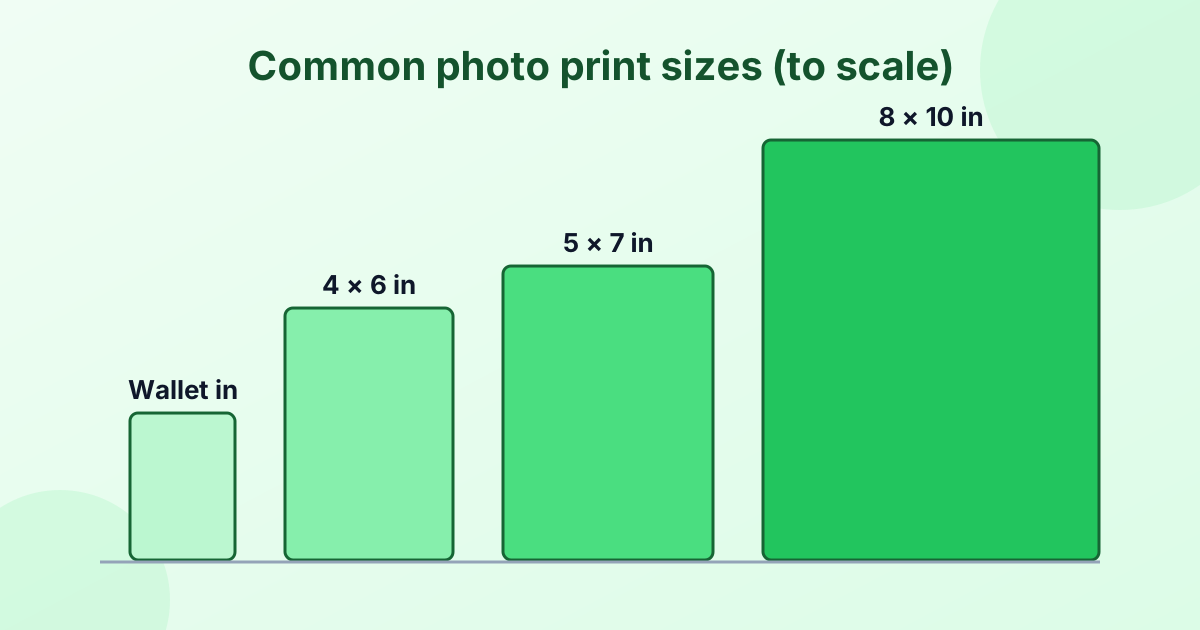
If you need a bigger print at 300 DPI, you need more pixels. For example, an 8 × 10 inch print at 300 DPI needs 2400 × 3000 pixels.
- Work out the pixels you need with our inches to pixels converter.
- Enlarge the image with our image upscaler.
- Set the DPI to 300 with the DPI changer.
Keep in mind that enlarging can't invent real detail. A tiny, blurry image won't become a crisp poster. Start with the largest original you have.
How to Calculate DPI
To find the effective DPI of a print, divide the pixels by the print size in inches:
DPI = pixels ÷ inches
A 3000 px wide image printed 10 inches wide gives 3000 ÷ 10 = 300 DPI. Print it 20 inches wide and it drops to 150 DPI. Our pixels to inches converter does this math for you.
Frequently Asked Questions
What does DPI mean?
DPI means dots per inch. For images, it usually means how many pixels fit into one inch when printed.
What is 300 DPI?
300 DPI means 300 pixels per inch of print. It's the standard for sharp photo prints.
Is higher DPI better?
For printing, higher DPI gives sharper prints, up to about 300. For screens, DPI doesn't matter at all.
How do I make an image 300 DPI?
Use a DPI changer to set the tag to 300. If the image then prints too small, enlarge it with an upscaler first.
Is DPI the same as resolution?
DPI is one part of resolution. Pixel dimensions (like 3000 × 2000) tell you the total detail. DPI tells you how densely those pixels are printed.
What DPI should I use for printing photos?
Use 300 DPI for photos and documents. Large posters can go down to 150 DPI.