What Is OCR? (Optical Character Recognition Explained)
OCR is the technology that turns pictures of text into text you can copy, edit and search. Here's what it means, how it works, and how to use it on any device.
What Does OCR Stand For?
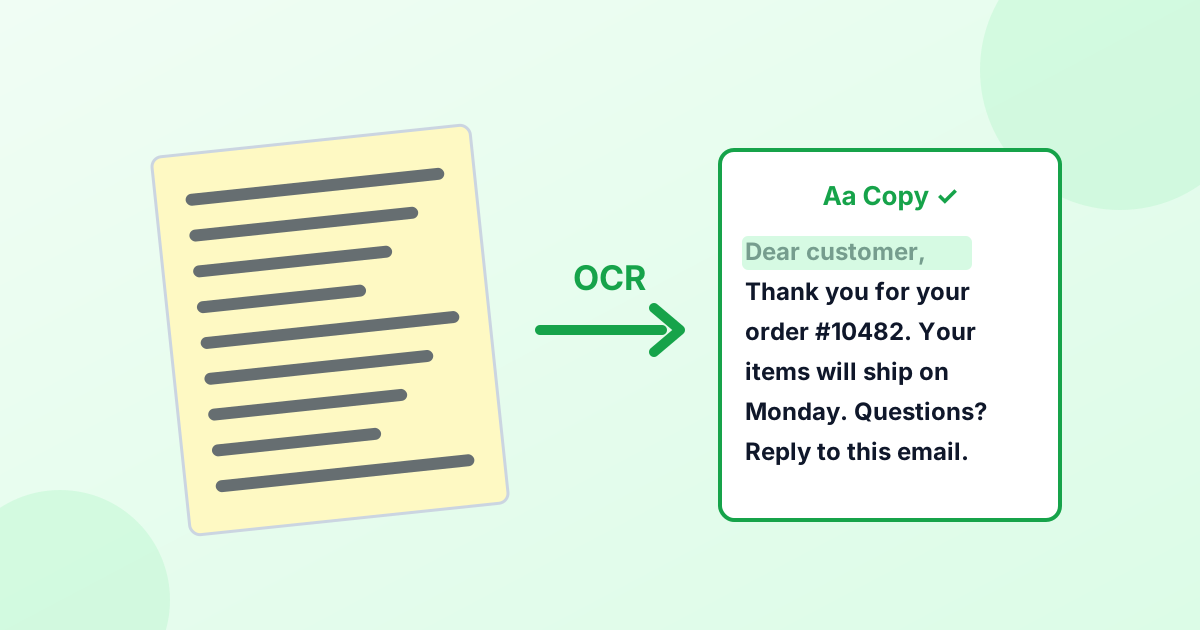
OCR stands for Optical Character Recognition. It's technology that looks at an image, finds the letters and numbers in it, and turns them into real, editable text.
Without OCR, a photo of a page is just pixels. You can't copy a sentence from it, search it or edit it. With OCR, you can.
How Does OCR Work?
Modern OCR works in a few steps:
- Clean-up. The image is converted to black and white, straightened and sharpened so the text stands out.
- Layout analysis. The software finds blocks of text, lines and words, and separates them from pictures.
- Recognition. A trained model (today, usually a neural network) reads each word and works out which characters it contains.
- Language check. A dictionary for the chosen language helps fix unlikely spellings.
- Output. You get plain text, or a searchable PDF that keeps the page's look.
What Is OCR Scanning?
"OCR scanning" means scanning a paper document and running OCR on it at the same time. Many scanners and apps (like Adobe Scan, Microsoft Lens and phone Notes apps) do this. The result is a searchable PDF: it looks like the scan, but you can select and search the text.
Where Is OCR Used?
- Copying text from screenshots and photos
- Digitizing old books and archives
- Reading receipts and invoices in expense apps
- Scanning passports and IDs at airports and banks
- Reading license plates in parking systems
- Translating signs and menus in apps like Google Lens
- Accessibility, helping blind and low-vision users hear printed text
How to Copy Text From a Picture
On any device (free, online)
- Open our image to text converter.
- Add the picture or paste a screenshot.
- Choose the language and click Extract Text.
- Click Copy Text.
It runs in your browser, so the image isn't uploaded.
On iPhone
iPhones have Live Text. Open a photo, tap and hold on the text, and drag to select it. Then tap Copy. You can also tap the Live Text icon in the corner of the photo.
On Android
Open the photo in Google Photos and tap Lens, or use the Google Lens app. Tap Text, select the words, and tap Copy.
On Windows
Windows 11's Snipping Tool has a Text actions button. Take a snip, click Text actions, then Copy all text. Microsoft PowerToys also has a "Text Extractor" shortcut.
On a Mac
macOS also has Live Text. Open an image in Preview or Photos, then click and drag over the text to select it, just like in a document.
How to Get the Best OCR Results
- Use good light and avoid shadows on the page.
- Hold the camera straight above the page.
- Crop to the text with our crop tool.
- Use a high resolution. For PDFs, convert pages at 300 DPI with PDF to PNG.
- Pick the right language before extracting.
- Proofread. Even good OCR can confuse similar characters like "0" and "O", or "1" and "l".
What Is Tesseract?
Tesseract is one of the most popular OCR engines in the world. It's free and open source, first developed at HP and later improved by Google. It supports over 100 languages. Our image to text tool uses a browser version of Tesseract called Tesseract.js.
Frequently Asked Questions
What does OCR stand for?
Optical Character Recognition.
What does OCR mean on a scanner?
It means the scanner software reads the text in your scan, so you can search, copy or edit it.
Is OCR accurate?
On clear, printed text, very. Accuracy drops with blur, handwriting, unusual fonts and busy backgrounds.
Can OCR read handwriting?
Some advanced systems can read neat handwriting. Standard OCR engines are built for printed text.
How do I extract text from an image for free?
Use a free OCR tool like our image to text converter, or the built-in Live Text on iPhone and Mac.